WG DAW Converter 3.2.19 for Mac
WG DAW Converter 3.2.19 for Mac Free Download
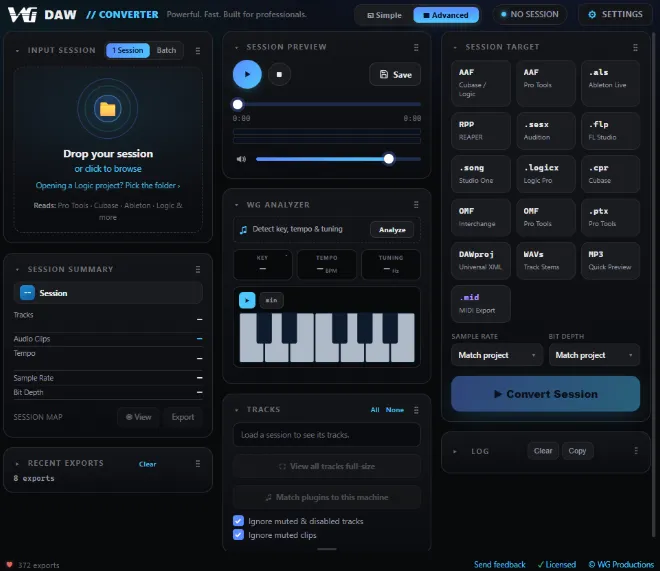
A cross-DAW session converter from WGProductions that reads project files directly without requiring the source application installed and rebuilds them for the DAW you actually use, preserving arrangement data instead of handing back a folder of loose WAVs.
The problem it targets is familiar in post and music production: a client sends a Pro Tools session, but your room runs Cubase; a collaborator works in Ableton while you mix in Logic. WG DAW Converter parses the session file itself and exports to AAF, OMF, native project formats, DAWproject, or aligned per-track WAVs and MP3. Supported inputs include Pro Tools (.ptx/.ptf/.pts), Studio One 7 (.song), Ableton 12 (.als), Cubase .cpr (every generation back to Cubase VST), Nuendo .npr (1.x through 15), FL Studio (.flp), REAPER (.rpp), Logic Pro 10/11/12 (.logicx), Audition (.sesx), plus OMF and AAF interchange files.
How do I install and activate?
Open the downloaded image and open the “ORDER #259” folder.
Run the “WG DAW Converter” installer. Follow the standard installation procedure.
Run the “WG DAW Converter” application and open the “Serial” text file.
Use the specified license for activation.
Compatibility
macOS 11 and later