Path Finder 26.1.7 for Mac
Path Finder 26.1.7 for Mac Free Download
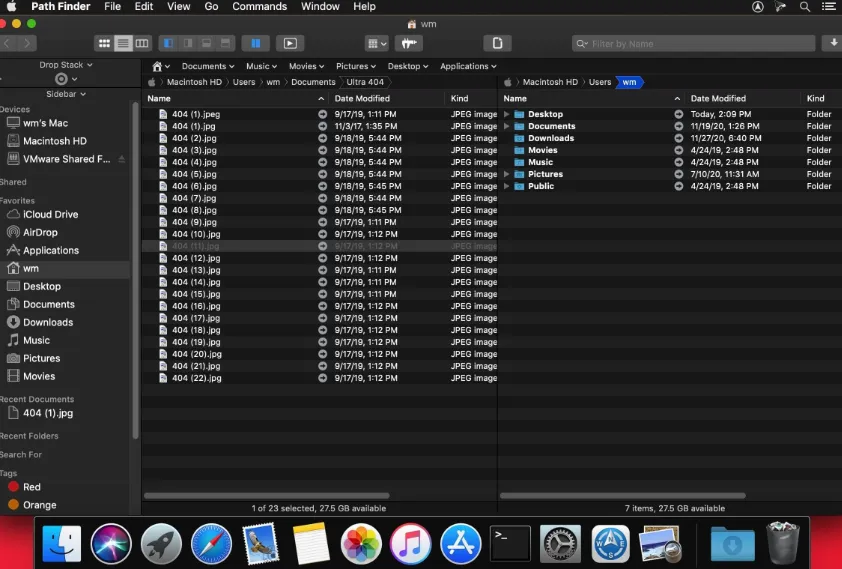
An advanced macOS file manager from Cocoatech that extends beyond Finder with dual panes, modular shelves, temporary Drop Stack staging, folder compare/sync, and deeper file operations in one browser window.
You open Path Finder instead of or alongside, Finder when you need denser navigation: dual-pane layouts for moving files between disks, a path navigator for typing locations, bookmarks, and shelves that hold tools such as Preview, Info, Terminal, Attributes, and Drop Stack. Drop Stack is a temporary holding area for items you gather before copying, moving, or archiving. Modules can be shown, hidden, and rearranged so power users keep permissions, metadata, and previews visible without opening separate windows for every task. Hidden files can be revealed from the View menu; batch copy, delete, and sync workflows are part of the product’s long-standing focus.
How do I install and activate?
Mount the image and launch Open Gatekeeper Friendly.
Press Enter to bypass Gatekeeper in the Terminal window.
Drag the application to the Applications folder.
The application is ready to use.
Compatibility
macOS 13 and later