Muffle 1.3 for Mac
Muffle 1.3 for Mac Free Download
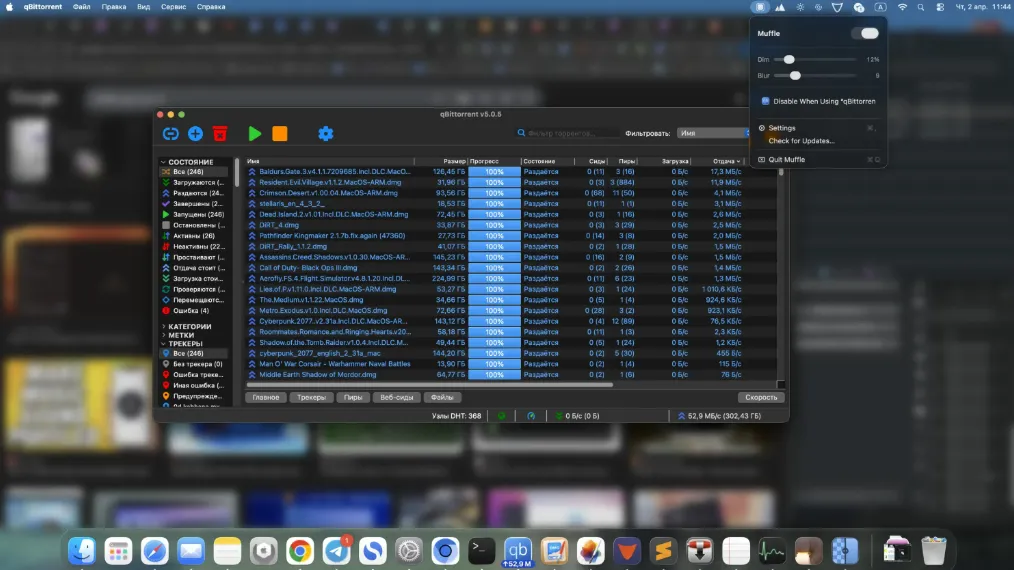
A lightweight focus utility for macOS that blurs and dims everything except the front most window, so a crowded desktop stops competing for your eyes.
Install it, leave it running in the background, and work as usual. When you want tunnel vision, shake the cursor to toggle the effect on or off without hunting through menus. Background windows, desktop clutter, and other open apps fade; the window you are in stays sharp. Intensity is adjustable: you can raise or lower blur strength and how strongly inactive windows are dimmed until the look matches your display and taste.
Typical moments are deep work in a code editor or document, ADHD-friendly single-task sessions, and screen sharing or presentations where you would rather not show Slack, email, or a messy desktop. Some users keep it on during Teams or Meet calls so viewers stay on the shared window instead of side panels. It is not a full Focus Mode replacement and does not silence notifications by itself; its job is visual isolation of the active window.
How do I install and activate?
Launch the downloaded image and drag the application into the Applications folder shortcut.
Once the copying is complete, the application can be launched via Launchpad.
Compatibility
macOS 14 and later