Downie 4.12.10 for Mac
Downie 4.12.10 for Mac Free Download
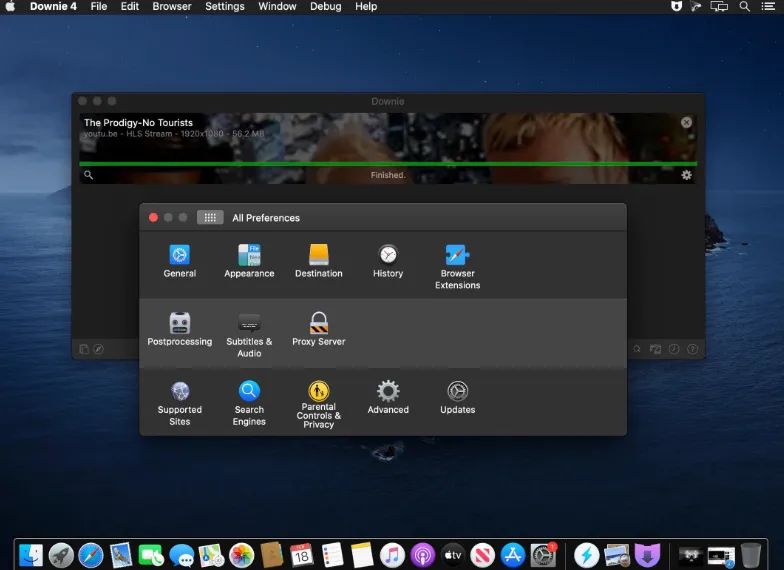
A native macOS video downloader from Charlie Monroe Software that grabs streams from YouTube, Vimeo, and more than a thousand other sites when you paste a URL or send a link from your browser.
You copy a video page address into Downie or use the Safari, Chrome, or Firefox extension to push the tab directly into the queue. The app analyzes the page, lists available quality options including 4K where the host provides it, and downloads the file to a folder you choose. Post-processing can convert outputs to iPhone-friendly MP4, strip audio-only tracks for podcasts, or hand results to Permute for further conversion.
When a site is not on the supported list, User-Guided Extraction opens a built-in browser so you navigate to the player and let Downie detect the stream. Download history can sync across Macs via iCloud to avoid duplicate grabs. The developer ships frequent maintenance builds because streaming sites change delivery methods often; recent work has focused on YouTube SABR streaming, HLS manifest parsing, and per-site extractor updates.
How do I install and activate?
Run the downloaded image and drag the application to the Applications folder shortcut.
Once the copy is complete, you can launch the application from Launchpad.
Compatibility
macOS 11 and later