BetterZip 5.4 For MacOS
BetterZip 5.4 For Mac Free Download
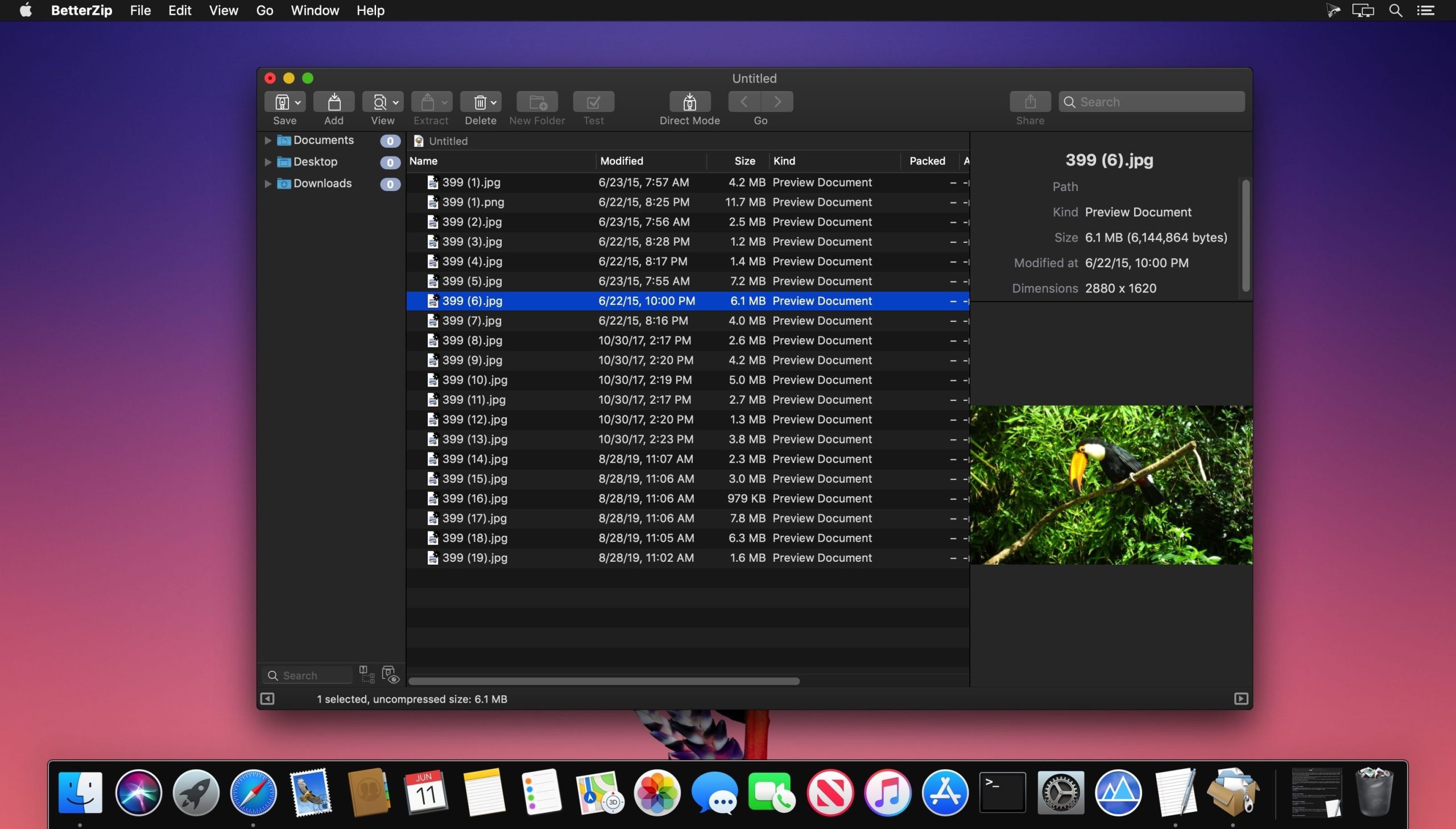
BetterZip lets you quickly inspect archives without first extracting their contents.
- Extract Only Files You Really Need: If you only need a few files or folders from a larger archive, you don’t have to extract the whole thing. Simply drag the files you need from the BetterZip window to any Finder window or the desktop.
- Open Archives Without Extracting: Not only can BetterZip open archives without first extracting them but you can also search for a file using the iTunes-like interface. BetterZip can open and extract archives with the most common formats: ZIP, SIT, TAR, XAR, XZ, GZip, BZip2, RAR, 7-Zip, CPIO, ARJ, LZH/LHA, JAR, WAR, CAB, ISO, CHM, RPM, DEB, NSIS, BIN, HQX, DMG, EPUB, and Winmail.dat.
Features
- Added “Test”, “Open in BetterZip window”, and “Add to archive” to BetterZip button in Finder.
- BetterZip can now keep the external rar commandline utility up-to-date and automatically download and install new versions when they are available.
- Added an option to always or never update edited files inside the archive. While at it, I enhanced the updating of edited archive files in general (fewer alerts, keeping track of open files after saving changes back to an archive).
- For added security, BetterZip will now quarantine apps extracted from archives. You can disable this in the preferences.
- The “Replace File” dialog no longer blocks all other operations and you can now quick-look the two files for a last visual check.
- Better handling of Windows zip archives with non-latin character sets.
- Change the encoding of open archives without reopening them.
- BetterZip will now ask for the correct encoding, when it cannot be determined automatically.
- The info pane in the preview sidebar now shows more details. When no files are selected, general archive information is displayed.