Rectangle Pro v3.78 for Mac
Rectangle Pro v3.78 for Mac Free Download
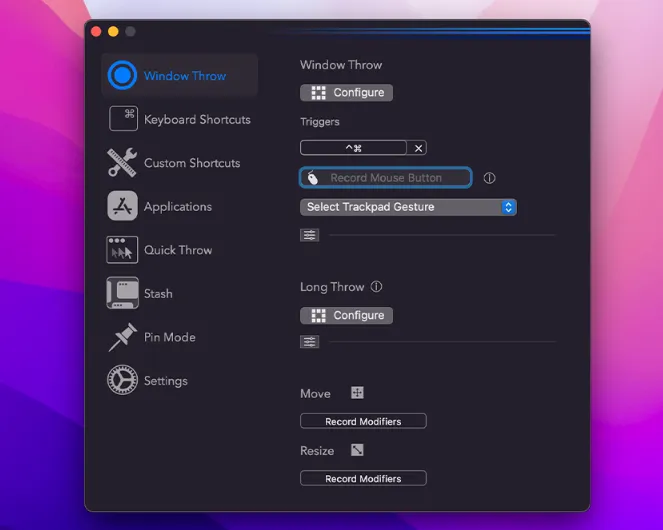
Rectangle Pro is an advanced window manager for macOS built on the same philosophy as the popular Rectangle app—snap, tile, and move windows with keyboard shortcuts and drag gestures—then adds a deep Pro layer: custom snap targets, multi-window layouts, iCloud sync, and “throw” workflows that reduce repetitive manual resizing.
Features
16-way snap grid (and beyond): map windows to common sizes/positions quickly, with strong keyboard coverage—including patterns familiar from other platforms.
Modifier + cursor moves: resize and reposition windows by holding a modifier and moving the pointer—useful when you do not want to hunt window edges.
Custom snap targets: place snap zones anywhere on screen and use a configurable snap panel for one-click placement.
Repeatable custom sizes: define your own geometry and control what happens on repeated execution (fine-grained layout automation).
Workspace-style commands: arrange multiple windows with a single shortcut; cascade or tile in grids such as 2×2 / 2×3 (as described in Pro marketing).
Display-aware behavior: react when monitors connect/disconnect so layouts do not break when you dock a laptop.
Edge-docked windows: hide windows along screen edges and slide them back when the cursor touches the edge—useful for reference panels.
iCloud settings sync: keep shortcuts and layout preferences aligned across Macs.
Import from Rectangle: migrate shortcut sets from the free app when upgrading.
Efficiency pitch: marketed as lightweight—especially for keyboard+cursor gesture paths versus heavier touch-style managers.
Version