Presentify 8.0.6 for Mac
Presentify 8.0.6 for Mac Free Download
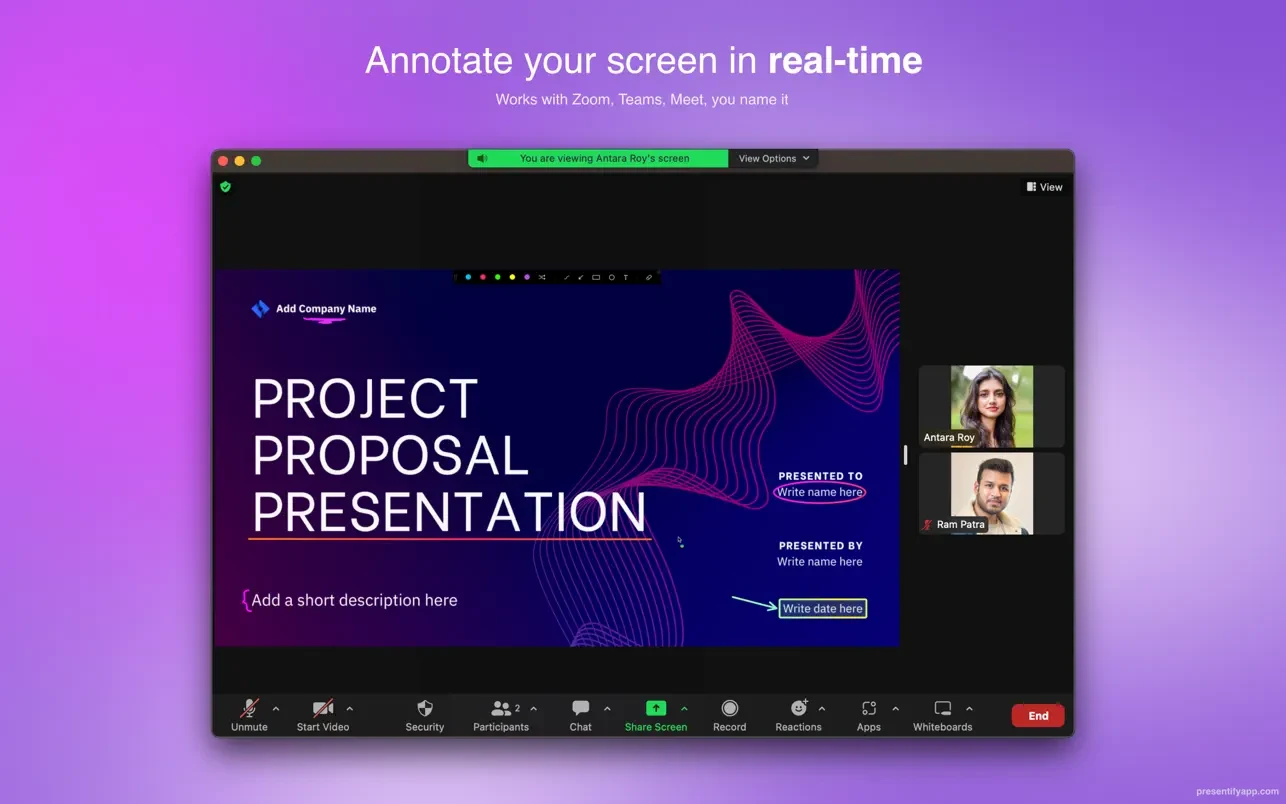
Presentify is an app that helps you improve the quality of presentations, online lessons, and video tutorials by allowing you to add annotations to any screen, highlight the cursor, and much more.
You can annotate anything on the screen, be it images, videos, PDFs, code—anything. Presentify is incredibly useful for online teaching, recording video tutorials, conducting demonstrations, remote work, and more.
Peculiarities:
Annotations
– You can draw or annotate any screen. Select “Screen Annotations” in the menu bar and start drawing.
– Lots of shapes to draw. Now you can even write text.
– Draw with random gradient colors instead of normal colors.
– Automatically erase annotations. Perfect for highlighting specific points or clarifying your thoughts. You can also toggle this feature by pressing the Control key.
– You can draw even when other apps are running in full-screen mode. Perfect for live presentations and video calls when working remotely.
– New Interactive Mode: It opens Presentify in the background, allowing the user to use other apps and add annotations by pressing and holding the Fn key.
– Users can now interact with native apps while annotating (in default mode) in Presentify. To do this, simply press and hold the Fn key. You no longer need to switch to Presentify to advance presentation slides, play/pause videos, etc.
– The selection function allows you to select fragments of text without overlapping them.
– To draw a straight line, press and hold the Shift key while drawing. You can also fill rectangles and circles with a semi-transparent color by pressing and holding the Option key.
– Works with Keynote (even in presentation mode).
– Compatible with all video calling programs such as Zoom, Google Meet, Skype, etc.
– Works with graphic tablets such as XP-Pen, Wacom, etc.
How to install and activate?
Run the downloaded image and drag the application to the Applications folder shortcut.
Once copying is complete, the application can be launched via Launchpad.
When you first launch the application, close it via Activity Monitor and open it again.