Filmage Screen 1.4.7 for Mac
Filmage Screen 1.4.7 for Mac Free Download
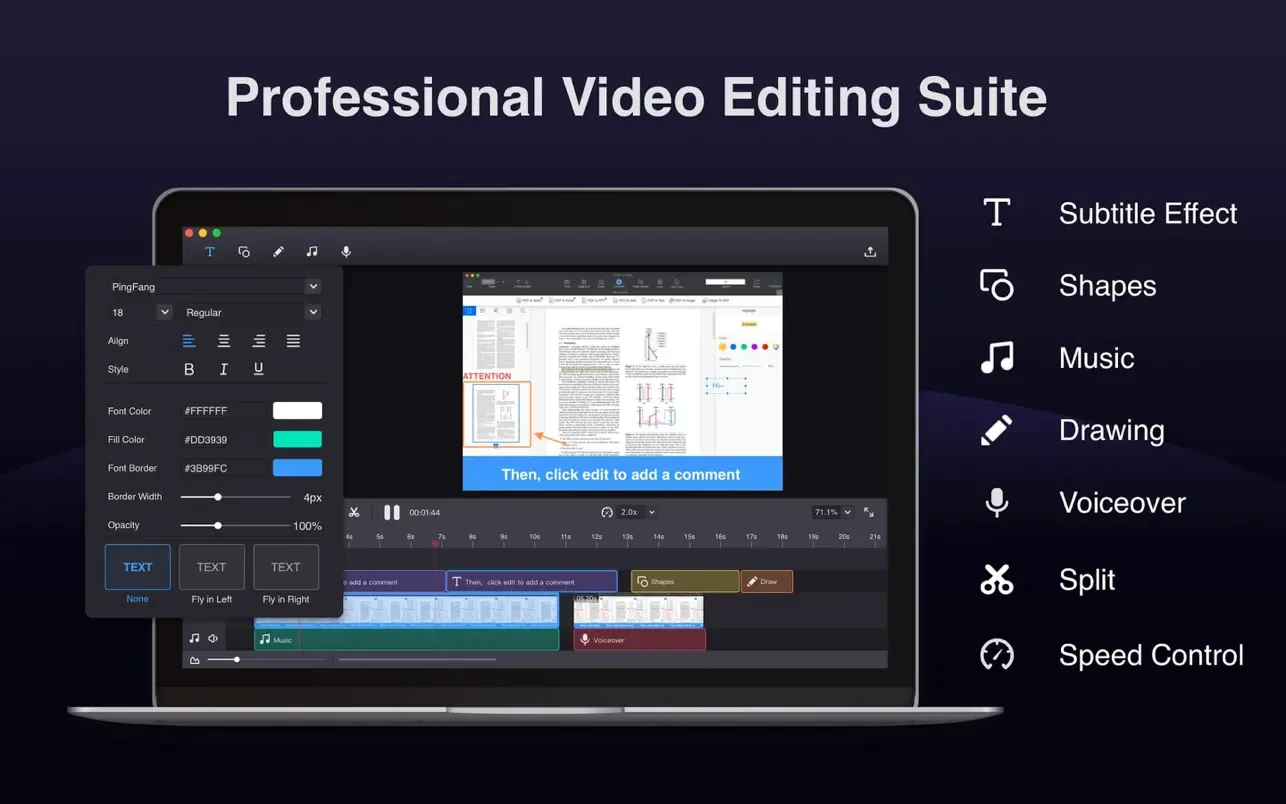
Filmage Screen Recorder is a versatile screen recording and video editing software that lets you create stunning videos. It’s easy to use, intuitive, lightweight, and stable.
With this Mac screen streamer, you can create a new screen recording. Record and take a screenshot of your Mac, create a new movie using the built-in camera, or mirror your iPad/iPhone screen. This handy screen recording app will help you easily record online courses, gameplay tutorials, product demos, presentations, online meetings, and more. Regardless of what you do, it ensures your work is flawless. After recording, you can immediately switch to editing mode.
Filmage Screen is a video converter. It lets you convert any video to MP4, Apple ProRes, MOV, 3GP, VOB, MKV, M4V, WMV, AVI, MPG, FLV, F4V, SWF, TS, and other formats. Filmage Screen also creates animated GIFs, allowing you to export and save them in GIF format. Filmage Screen also functions as a media player. Simply drag and drop a video or movie onto it, and it will become your quicktime media player.
Filmage Screen is completely ad-free, allowing you to work without interruptions. Filmage Screen can be your best and last resort screen recorder, video editor, and video converter app for Mac.
How to install and activate?
Mount the image and run Open Gatekeeper friendly.
Press Enter to bypass Gatekeeper in the Terminal window.
Drag the application to the Applications folder.
The application is ready for use.