Endurance 3.2.6 for Mac
Endurance 3.2.6 for Mac Free Download
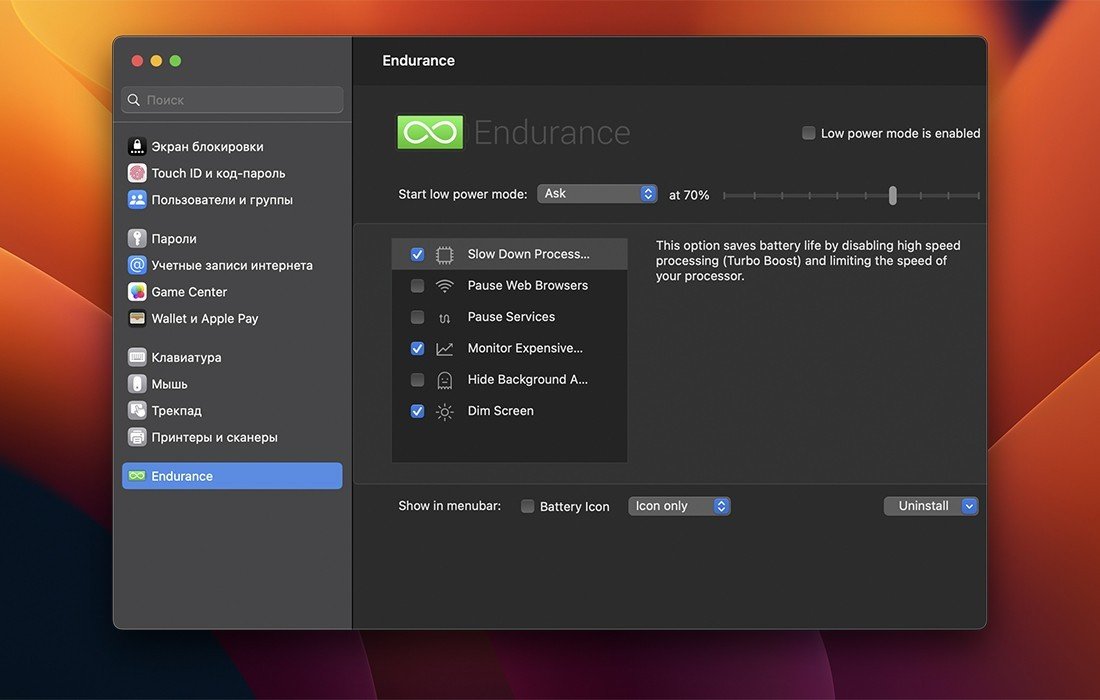
No matter how good your battery is, everyone can use a little extra juice! Endurance is an app that helps your Mac run longer. Endurance runs in the background, and when your battery level drops to a certain level, it automatically adjusts settings and disables power-hungry features.
Our tests have shown that it increases battery life by approximately 20%, which you can spend on writing, web surfing, and watching movies.
How Endurance saves battery life:
– Configurable Endurance can automatically activate the following power-saving modules. Prefer not to use a certain module? You can disable it so it doesn’t bother you. Disable Turbo Mode. Your processor, the brain of your computer, can run in Turbo mode, which uses a lot of resources. By disabling Turbo Mode, your computer will run a little slower, but will last much longer.
Quit power-hungry apps:
Did you know that Chrome can consume 20% of your battery, even if it’s just open in the background? Endurance monitors your battery drainers and puts them to sleep. Open them again, and your tabs will be right where they were.
Decrease screen brightness:
Your screen uses a ton of power. Endurance may slowly dim it over time, but like a frog in boiling water, you won’t even notice.
Hiding background apps:
Your Mac is smart enough to slow down apps hidden behind the screen. That’s why we automatically minimize them when they’re running in the background.
How to install and activate?
Mount the image and run Open Gatekeeper friendly.
Press Enter to bypass Gatekeeper in the Terminal window.
Drag the application to the Applications folder.
The application is ready for use.