Noir 2026.1.3 for Mac
Noir 2026.1.3 for Mac Free Download
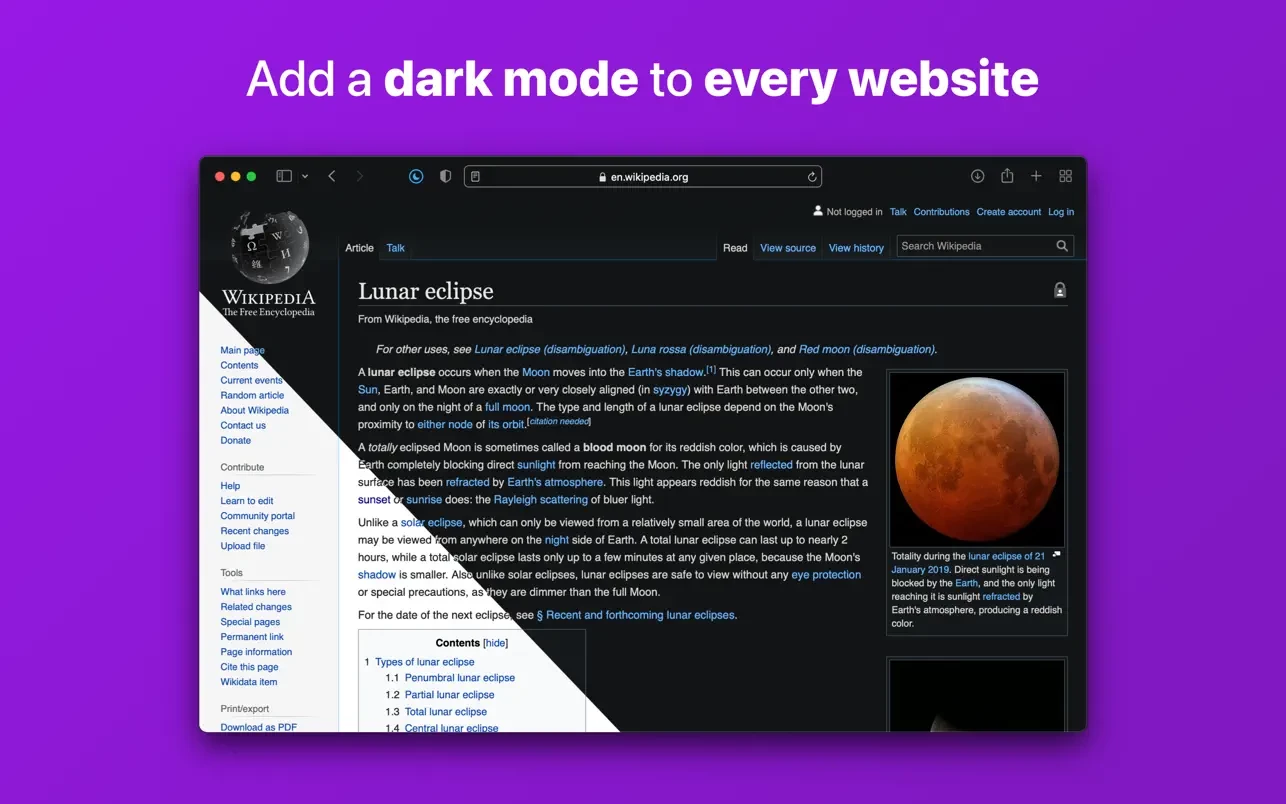
Noir is a Safari extension that automatically adds dark mode to every website you visit.
This makes browsing the web at night much better. With Noir, you’ll never be blinded by bright websites again.
And the results look great, too. Noir creates a custom dark mode for every website you visit based on the colors used on the page. You won’t even notice it happening in the background—it’s that fast—but you’ll certainly appreciate the end result: a beautiful dark mode tailored to each website, where contrast is preserved and highlights stand out.
Noir automatically works with any website you visit in Safari. By default, Noir is paired with your device’s dark mode, so websites will only turn off dark mode when you want them to. But you can easily customize this, even on a website-by-website basis. Want to use Noir only on a few specific websites? Sure! Disable Noir on certain websites? No problem!
The app feels right at home on your device. It’s a Safari extension, meaning you don’t have to manually activate it every time you load a new page. The app also tightly integrates with system features like Shortcuts to seamlessly integrate Noir into all your workflows. And your settings automatically sync across all your devices via iCloud.
And just as importantly, Noir takes your privacy seriously: it doesn’t collect any data about your browsing activity. Period.
How to install and activate?
Mount the image and run Open Gatekeeper friendly.
Press Enter to bypass Gatekeeper in the Terminal window.
Drag the application to the Applications folder.
The application is ready for use.