QSpace Pro 6.2.2 for Mac
QSpace Pro 6.2.2 for Mac Free Download
QSpace is a clean and efficient multi-pane file manager that also supports FTP, SFTP, WebDAV, Dropbox, OneDrive, GoogleDrive, Amazon S3 (and S3-compatible), and Aliyun OSS. It shares the same operating principles and interface layout as Finder, but also supports more flexible and practical features. With QSpace, you can easily eliminate the cumbersome task of switching between multiple windows and find what you need with drag-and-drop!
QSpace features powerful multi-panel capabilities for automatic saving and restoring, making it not only a file manager but also a secretary for managing your work status. Make your work easier and more efficient.
QSpace also supports a variety of personalized settings: context menu customization, toolbar customization, custom touchpad, hotkey customization, and quick launch customization. Here, you can follow your own path—the interface has become more streamlined, and control is more efficient!
Peculiarities:
Multi-panel workspace
* Support 12 window layouts with flexible switching in one click.
* Support creating multiple workspaces, and you can set independent hotkey for each workspace.
* The workspace status supports automatic saving and can be restored by reopening!
* Support window tabs, you can put multiple workspaces in one window.
Improved file management
* Segmented interactive address bar: quick access to directories of any level, support for forward and reverse operations.
* Editable address bar: Support copying, editing or directly entering the path.
* Quick access: One-click access to common system directories and support for creating bookmarks in directories.
* Customizable sidebar: Create a custom bookmark group, support drag and drop sorting of items, set different accent colors.
* Customizable context menu: You can customize the display switch of any menu item and its position.
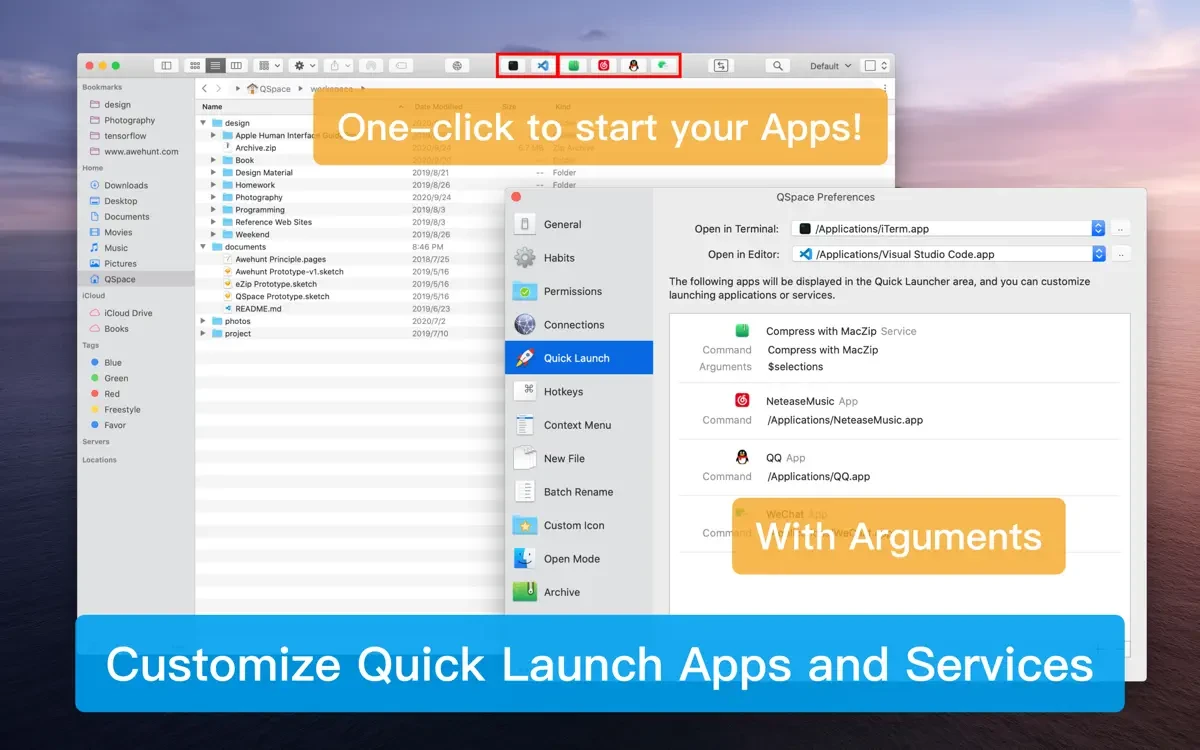
* Customizable quick launcher: You can place frequently used apps or services on the toolbar with one click to open them.
* Quick Search: Supports global or workspace-specific searches, as well as context menu actions on results.
* Terminal Shortcut: Open selected directories in the specified terminal with one click (support Terminal, iTerm).
* Editor Shortcut: Open selected files or directories in the specified editor with one click (supports VSCode, Atom, Sublime).
* File hash value calculation supports MD5/SHA256/SHA128/SHA224/SHA384/SHA512/CRC32.
* Support creating new files and folders anywhere.
* Support for setting new file templates, custom file names and contents, and file name support date variables.
* Support cut, copy, paste, drag and drop, etc. between panels.
How to install and activate?
Remove the previous version using App Cleaner & Uninstaller or similar.
Run the downloaded image and drag the application to the Applications folder shortcut.
Once copying is complete, the application can be launched via Launchpad.