LightBurn 2.0.05 for Mac
LightBurn 2.0.05 for Mac Free Download
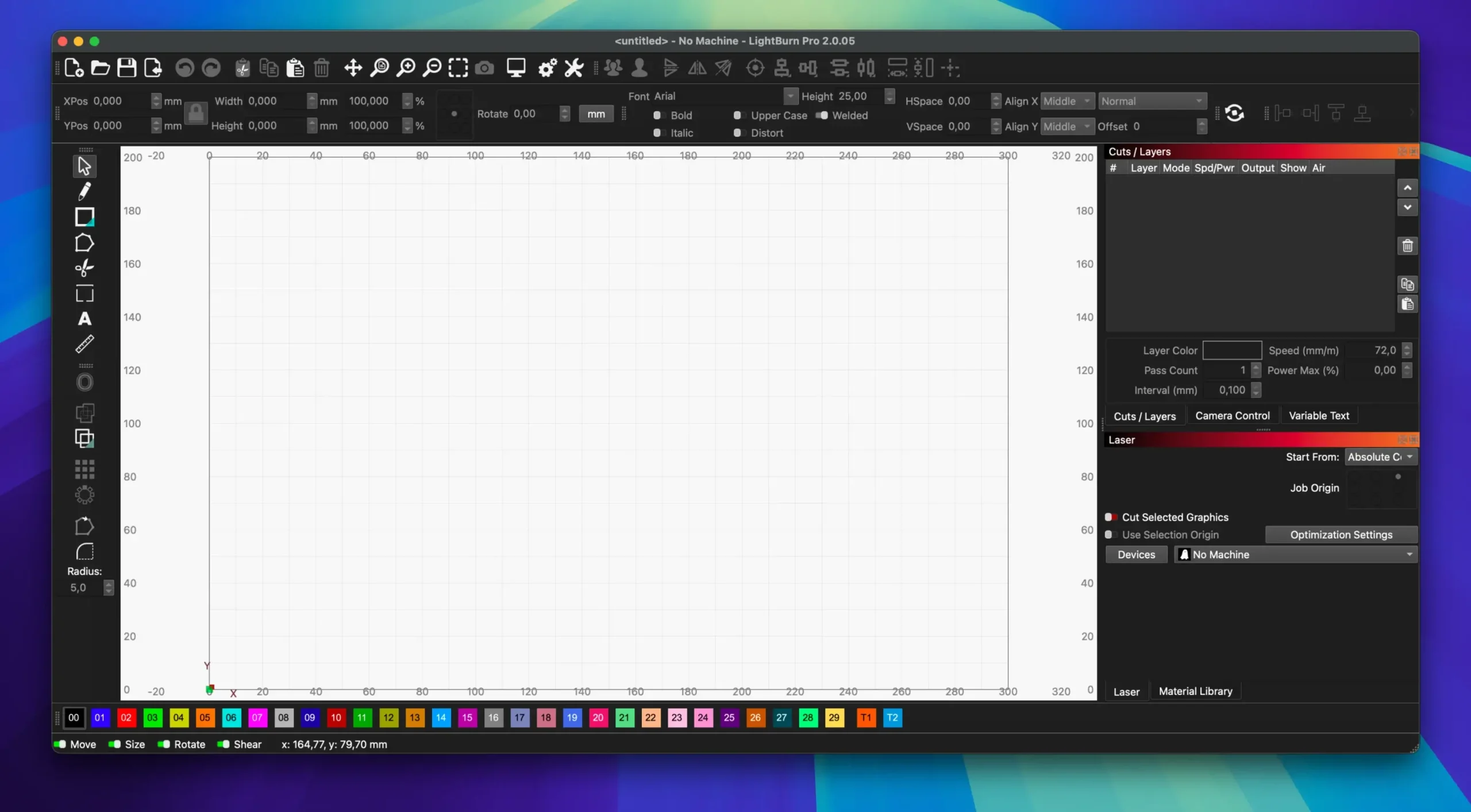
LightBurn is professional laser control software. It combines a powerful editor, layout tools, and direct laser control without the need for additional software.
With LightBurn, you can quickly import files, edit vector objects, adjust cutting and engraving settings, and then send your job straight to the laser.
Key Features:
• Import of popular vector and raster formats (AI, SVG, DXF, PDF, PNG, JPG and many others)
• Convenient built-in vector graphics editor: creating and editing shapes, Boolean operations, offsetting, welding, etc.
• Full control over parameters: power, speed, number of passes, cutting order, brightness / contrast, dithering and much more
• Direct connection to the laser (support for most controllers: GCode, DSP, Galvo)
• Tools for working with images: tracing (vectorize), masking, edge enhancement
• Library of materials with preset settings
• Support for rotary axes, cameras and other useful devices
• Intuitive modern interface
LightBurn is ideal for both hobbyists and professionals, from desktop laser enthusiasts to small production facilities.
How to install and activate?
Run the downloaded image and drag the application to the Applications folder shortcut.
Once copying is complete, the application can be launched via Launchpad.