DAEMON Tools Lite 12.4.0.23
DAEMON Tools Lite 12.4.0.23 Free Download
DAEMON Tools Lite offers easy tools for making simple disc image files and emulating virtual CD, DVD and Blu-ray drives. It is an advanced application for Microsoft Windows which provides one of the best optical media emulation in the industry. DAEMON Tools enables you to convert your physical CD/DVD/Blu-ray discs into “virtual discs” so called “images”. You can use your CD/DVD/BD images as if they were already burned to CD/DVD/Blu-Ray. It also emulated up to 4 virtual CD/DVD/BD drives, so you can mount (insert) and unmount (eject) images. Virtual drives will appear in your OS just like real ones. Select a virtual drive then choose a disc image you want to mount. Find the created virtual drive with mounted disc image in My Computer and start working.
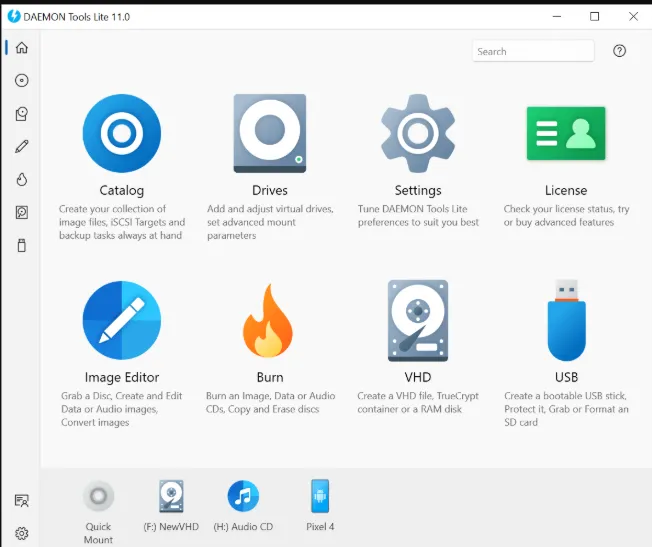
Simple user interface with basic system integration
• Get quick access to all functionalities via program icon in the System Tray
• Use File Associations to mount images right from Windows Explorer
• Use powerful Command Line Interface for automation purposes
• Perform basic actions via handy DAEMON Tools Gadget on Windows Desktop