Coolmuster PDF Locker 2.6.4
Coolmuster PDF Locker 2.6.4 Download
Safeguarding your PDFs has never been easier. Password protect a PDF and ensure the privacy of your confidential documents now.
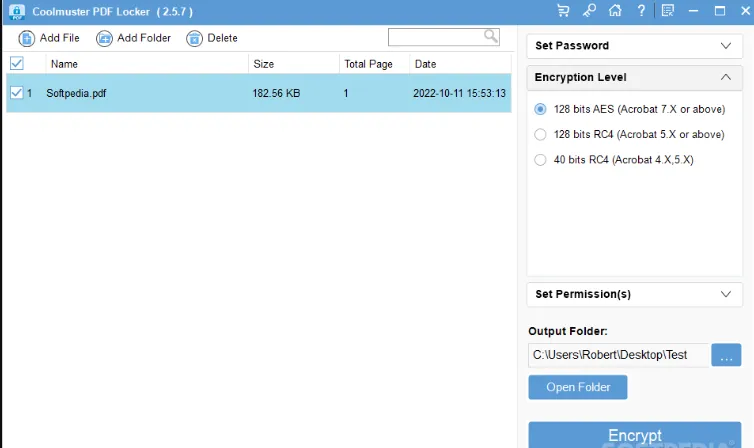
Password Protect PDF to Keep Your Data Safe
• Set User Password (Open Password) to prevent PDF from unauthorized access/opening.
• Encrypt PDF with Owner Password to protect PDF from unauthorized reuse or modification.
• 3 encryption levels for your sensitive data: 40 bit RC4, 128 bit RC4, and 128 bit AES.
• Take full control over printing, copying, editing and more permissions for your PDF content.
• Standalone and easy to use for users of all skill levels with user-friendly interface.
Why Should You Choose Coolmuster PDF Locker?
Safeguard Your Data with Password Protected PDFs
Discover the importance of password protecting your PDF files to ensure the safety and security of your valuable data. Protect your documents and keep sensitive information confidential at your will with this PDF encryption software now.
• Add User Password: By configuring a User Password (or Open Password), you can regulate the access or opening permissions for your PDF file. Only those who know the user password can open your PDF.
• Set Owner Password: Setting an owner password for your PDF allows you to modify permission settings, protecting your PDF from unauthorized reuse.