DxO PhotoLab 8 ELITE Edition 8.2.1.38
DxO PhotoLab 8 ELITE Edition 8.2.1.38 macOS
DxO PhotoLab provides a complete set of smart assisted corrections that you can manually fine-tune at any time. Take control on every aspect of your photos: effectively remove noise, get rid of light constraints, recover color details, apply sophisticated optical corrections, and enhance details.
Reducing digital noise in RAW images is an ongoing challenge for most photo-editing software. But with DxO DeepPRIME we are breaking new ground. The first artificial intelligence-based (AI) technology of its kind, DeepPRIME enables you to demosaic and denoise images simultaneously. Try it out – the results speak for themselves.
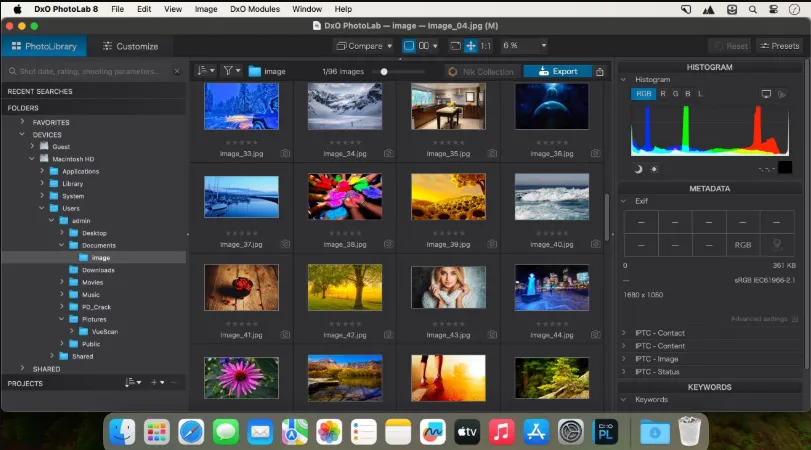
What’s new DxO PhotoLab 8
Enjoy a host of upgrades including new tools and an improved workflow.
Image correction & enhancement
DxO’s pioneering Optics Modules are renowned for giving photographers the best possible performance from their gear, and are applied automatically depending on metadata. Lens softness adjustments are tailored according to the idiosyncrasies of individual lenses. They don’t simply sharpen uniformly across the entire image like in other software.
Groundbreaking denoising technologies
Noise reduction powered by machine learning. DeepPRIME, DeepPRIME XD, and DeepPRIME XD2s eliminate noise, recover detail, and improve color reproduction. Two legacy technologies — PRIME and High Quality — are included when speed is crucial. Choose the automatic settings or dial them in manually. Use the new large live preview magnifier to see the impact of denoising — plus all of your other edits.
Color rendering and fidelity
Extra-wide gamut working color space (DxO Wide Gamut) ensures accurate rendering throughout the workflow. Soft Proofing mode ensures accurate colors when preparing files for print or display. Simulate ink and paper via ICC profiles. Create calibrated color profiles using industry-standard color charts to ensure precision.
Control exposure, contrast, color & tonality
Use ColorWheel to manipulate colors and customize color channels. Adjust Exposure compensation, edit the Tone Curve (enhanced in v8), tweak Contrast and Microcontrast. Plus White Balance with color picker, Color Accentuation to set saturation/vibrancy, Black-and-white palette with channel mixer, and Selective Tone for greater control over tonal ranges.
Color rendering
As well as DxO’s camera-calibrated profiles and classic film renderings, import and apply DCP profiles, or apply color rendering from your camera. Start your editing process with DxO Styles to open up new creative possibilities.
Smart, automated tools
DxO PhotoLab contains two innovative tools to speed up your editing: DxO Smart Lighting quickly balances brightness levels between shadows and highlights. DxO Clearview Plus reduces atmospheric haze and enhances local contrast.
LUTs
Import and apply LUTs to open up endless creative color options. Choose from 32 pre-installed LUTs and set intensity.