HighTop 1.3.4 portable for macOS
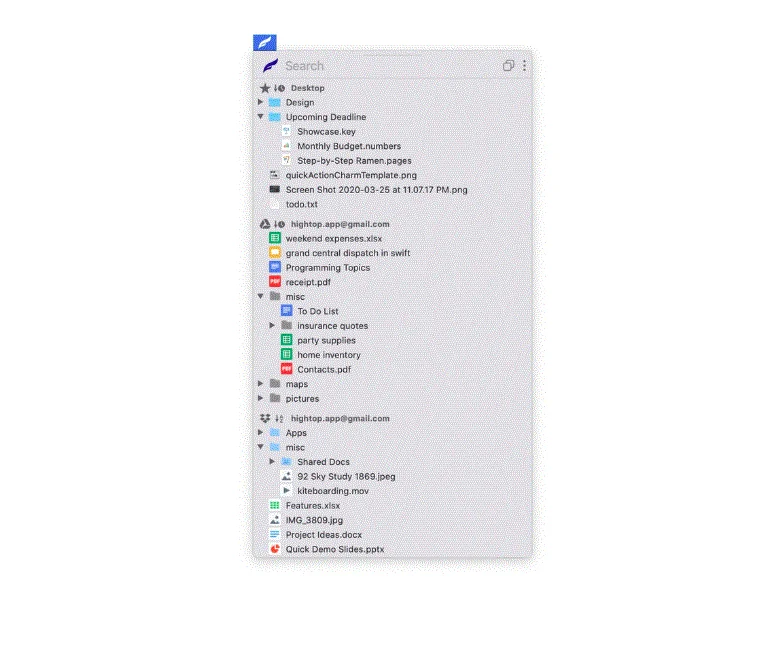
HighTop 1.3.4 portable for macOS is the most convenient way to work with favorite local folders, Google Drive, or Dropbox. Avoid hunting for Finder windows, digging up a buried Desktop, or loading a browser tab. Simply put, HighTop is a tree view of your files, and it’s packed with macOS integration.
- Minimal learning curve and setup.
- Drag and drop to and from folders in the app to move, upload, and download files and folders.
- Drag and drop files and folders on the dock or menu bar icon.
- Drag and drop to a “drop panel” that is displayed when files are dragged in macOS.
- Quickly search as you type across all cloud accounts and favorite local folders at once.
- Cloud accounts are accessed securely and directly using official libraries.
- No servers in the middle handle your data.
- No user data is collected by the app.
- Easily switch between the menu bar and window views.
- Minimal usage of system resources compared to other file browsers and cloud storage clients.
- macOS 10.12 or later
- Apple Silicon or Intel Core processor
HighTop
Size: 27.7 MB
- New Icon!
- Improved searching local folders.
- Google Drive files and folders can be added to or removed from Starred.
- A lot of under-the-hood changes are in, including updated 3rd party libraries.
- The app is now free for one cloud account or local folder, with a “full version” in-app-purchase for unlimited accounts/folders. More “full version” features are planned to be included in this one-time in-app-purchase.