Timing 2026.3.1 for Mac
Timing 2026.3.1 for Mac Free Download
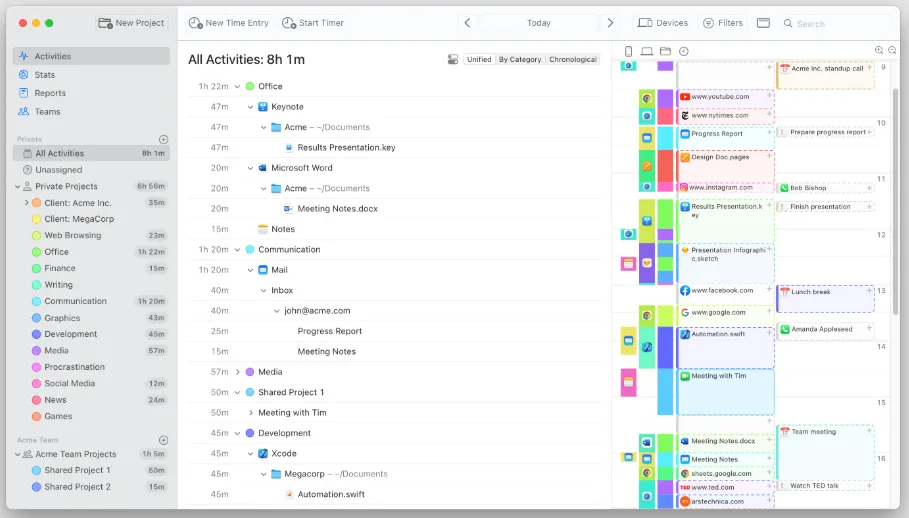
Timing is a native macOS time tracker that records which apps, documents, websites, and meetings you use in the background, so you can assign hours to projects without starting a timer for every task switch.
Build 2026.3.1 refines the project drop zone introduced in 2026.3: you can hide the sidebar drop zone from the View menu and drop activities, files, or folders onto the New Project toolbar button instead. The rule editor now grows with row count, expanded activity rows stay open after filtering, and Dia browser profile names appear in tracked window titles for custom rules. Bug fixes cover invisible inline rename text, sync signup layout, and rare rule-evaluation crashes.
How do I install and activate?
Run the downloaded image and drag the application to the Applications folder shortcut.
Once the copy is complete, you can launch the application from Launchpad.