ClickClack – Typing Trainer 4.1.0 for Mac
ClickClack – Typing Trainer 4.1.0 for Mac Free Download
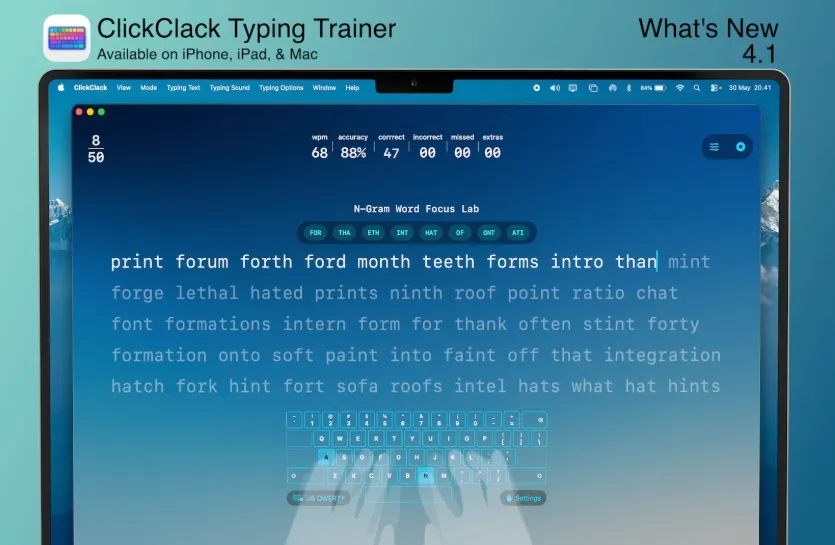
ClickClack is a native typing trainer for macOS, iPhone, and iPad by Alfian Losari that combines timed speed tests, structured lessons, accuracy analytics, VS CPU races, and Game Center multiplayer in a minimal SwiftUI interface.
How Mac users practice
You pick a mode speed test by time or word count, guided lessons from home row through symbols, N-Gram Word Focus Lab drills for sticky key sequences, or competitive 60-second matches against 2–4 players. The app tracks net and gross WPM, accuracy, consistency, mistyped keys, and bigram/trigram heatmaps. Customize fonts, themes, keymap overlay, hand-guide opacity, and mechanical-style sound packs. Stats sync across Apple devices through iCloud; Game Center handles achievements and leaderboards.
How do I install and activate?
Run the downloaded image and drag the application to the Applications folder shortcut.
Once the copy is complete, you can launch the application from Launchpad.
Compatibility
macOS 14.5 and later