Vibe Island 1.0.30 for Mac
Vibe Island 1.0.30 for Mac Free Download
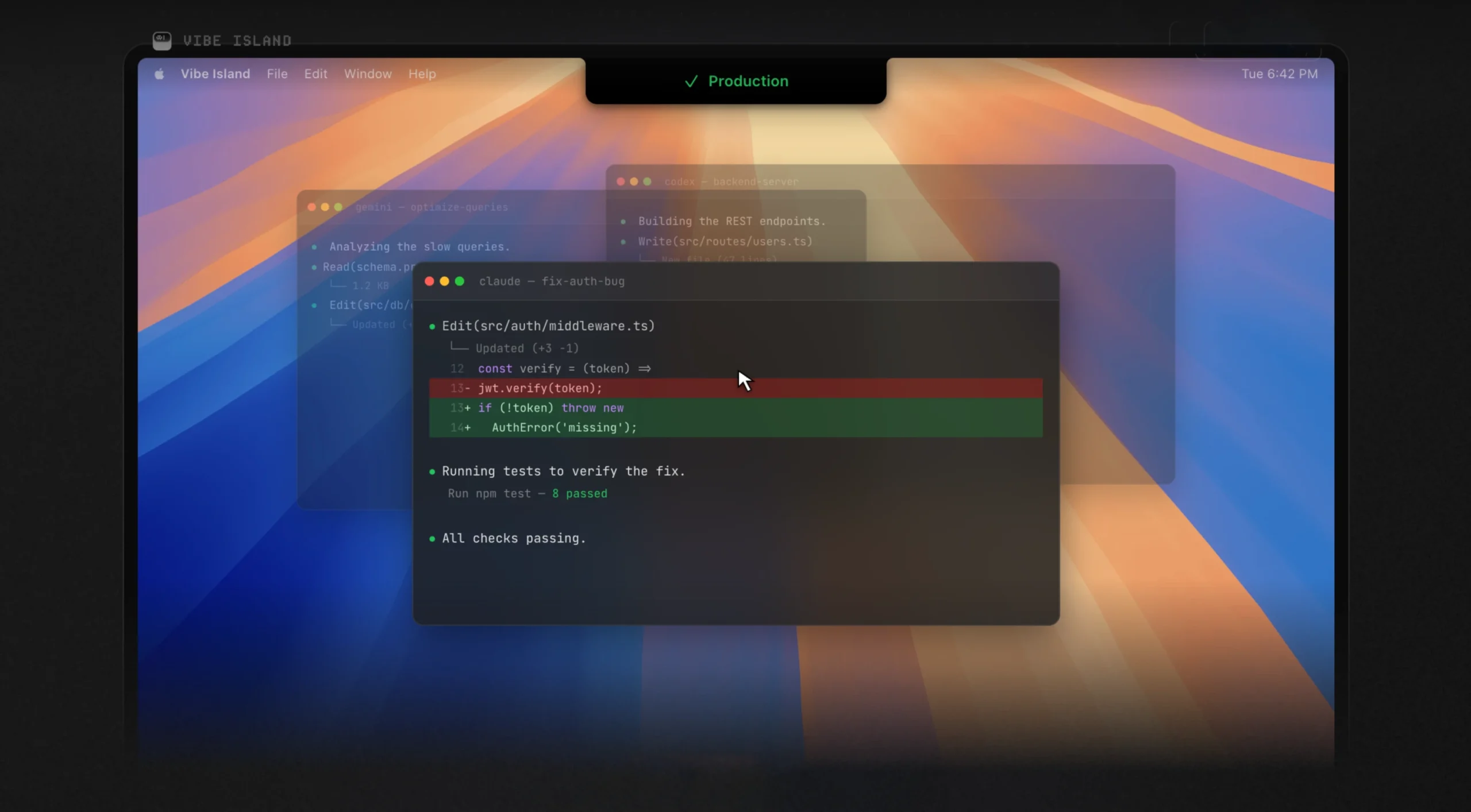
Vibe Island is an app that turns your Mac’s “notch” into a unified control center for AI agents working in the terminal. It eliminates the need to switch between windows while Claude Code, Codex, Gemini CLI, Cursor, and other tools perform tasks: you can monitor progress, grant permissions, and return to a specific session directly from the camera view.
Features:
• Monitor all agents in one place – supports 10 AI tools: Claude Code, Codex, Gemini CLI, Cursor, OpenCode, Droid, Qoder, Copilot, CodeBuddy, Kiro. Each agent is displayed in a single panel.
• Approve actions without context switching – When Claude Code asks permission to run a tool or asks a question, Allow/Deny buttons or answer options appear in the toolbar. You can approve the action without leaving the editor.
• Precise terminal jump – supports 13+ terminals (iTerm2, Ghostty, Warp, Terminal.app, VS Code, Cursor, etc.) with jump to the exact tab you need and even split-pane, including tmux sessions.
• Planning and reviewing plans – preview plans with full Markdown rendering before approval, and provide feedback directly from the island.
• Sound alerts – 8-bit synthesized sounds for each event. You can import your own sets or create your own.
• Quota usage tracking – the remaining requests for Claude, Codex and Kimi are displayed in real time without any additional settings.
• SSH remote – launch agents on remote servers with monitoring on Mac, one-click deployment, auto-reconnection, support for multiple servers.
• Completely local—all data remains on your Mac: no cloud, no accounts, no telemetry. Just a direct connection between agents and the “island.”
How to install and activate?
Run the downloaded image and drag the application to the Applications folder shortcut.
Once copying is complete, the application can be launched via Launchpad.