Cursor Pro 2.4 For Mac
Cursor Pro 2.4 Free Download
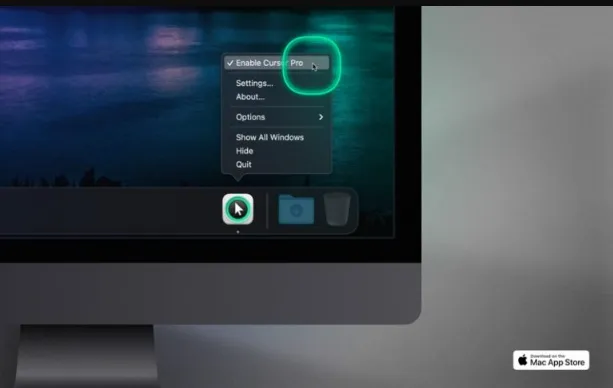
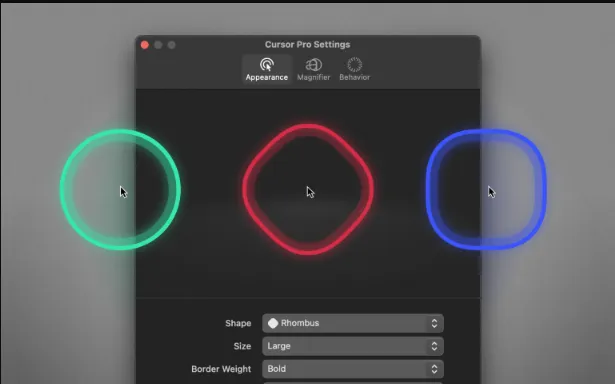
Cursor Pro features a simple, clean and minimalistic user interface that enhances the qualities of your mouse cursor. It helps you in finding cursor on the screen with a pulse or flicker and it can also magnify the focused point. Cursor Pro is fully customizable and you can make changes in your mouse pointer according to your preference. This app provides you with a lot mouse pointers of different shapes like circles, an eye-pleasing squircle, and a diamond-shaped rhombus. You can also customize the color of the cursor and make it glow so that you can find it easily on the screen.
While demonstrating you can easily focus on the screen and magnify making it easy for your audience to understand the presented point, this will have good impression on your audience and friends. If you are working remotely or taking an online class Cursor Pro will help you in delivering your point more easily and effectively. If you have a large screen or multiple displays losing your pointer is something that happens very often and Cursor Pro will make sure you always know where your pointer is. Taking everything in consideration, if you need a app that solves the problem of finding your pointer and making changes to its appearance to make it more visible, you should try Cursor Pro.
Features
- Cursor pro has elegant and easy-to-use translucent user interface which guides you through the recognition steps.
- You have the option to make your mouse pointer flicker so that you can find it easily.
- Provides you with different shapes of mouse pointer to choose from.
- Allows you to change size, weight, border style, glow, animations and color of the mouse pointer.
- Enables you to set up a magnifying key, choose zoom factor, define magnifier quality and size.
- Change the behavior of your mouse pointer like Auto-Hide, Beg For Attention, Global Hot Key.
- You can launch the app automatically by login.
- Highly effective for Screen Sharing apps like Zoom, Google Hangout or Skype.
- This app takes care of your privacy and never collects your data.
What does Cursor Pro provides?
- Precision Control: Cursor Pro provides exceptional precision control over cursor and pointer movements.
- Customization: The software offers extensive customization options, allowing users to personalize cursor size, shape, color, and sensitivity settings.
- Enhanced Cursors: Users can choose from a collection of enhanced cursors to improve visibility and style.
- Hotkeys: Cursor Pro includes hotkeys for quick and efficient access to common cursor functions.
- Multiple Profiles: Users can create and save multiple profiles with unique cursor settings, offering versatility for different tasks and preferences.
- Magnification Tools: The software features magnification tools to zoom in on specific areas of the screen for a closer view.
- Gestures: Cursor Pro supports gestures for intuitive cursor control, enhancing user-friendliness.
- Screen Recording: Users can utilize screen recording features to capture cursor movements and interactions for tutorials and demonstrations.